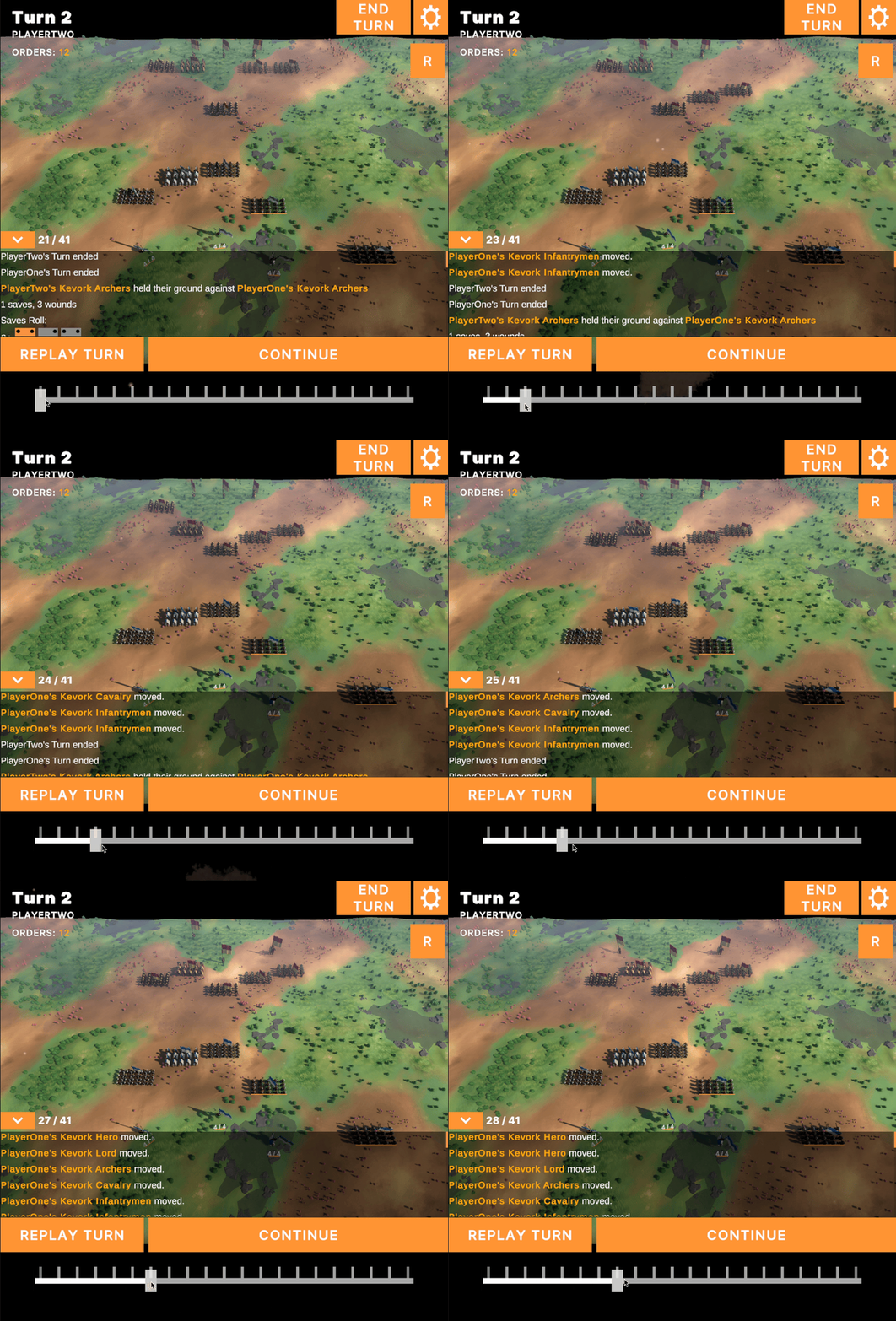
 Sometimes when you work on a feature it takes a couple attempts to get it right. Prior to working on the Reducer approach to turn based games i’d had a kinda-working version of replays in the game where each unit stored their own history? I don’t know.. I was tired.
Anyway this week the main focus was getting the replay system working properly. To do this, I’d effectively grab the previous turns orders and consume their events again, literally re-playing the events of that turn.
Getting this up and running in the first place was surprisingly easy. Literally just grab the data and iterate over it firing consume for each relevant event.
The hard part came when I noticed that my M2 MacBook Pro burned nearly half it’s battery life in the span of an hour. These things are supposed to be all day devices. It was also nearly half as hot as my older 16" intel Core i9 device got on boot. Looking into it and sure enough the game was absolutely thrashing the cpu.
Now, creating a game that is highly inefficient isn’t new to me, but I was very surprised to see my turn based code performing so poorly. Normally it’s something dumb like throwing a ton of code into the update loop, but no, in this case it was the dreaded C# nested foreach loop issue.
If you haven’t encountered this yet it’s a doozy. Most languages have some kind of default way of iterating over a collection. Normally this looks like:
Sometimes when you work on a feature it takes a couple attempts to get it right. Prior to working on the Reducer approach to turn based games i’d had a kinda-working version of replays in the game where each unit stored their own history? I don’t know.. I was tired.
Anyway this week the main focus was getting the replay system working properly. To do this, I’d effectively grab the previous turns orders and consume their events again, literally re-playing the events of that turn.
Getting this up and running in the first place was surprisingly easy. Literally just grab the data and iterate over it firing consume for each relevant event.
The hard part came when I noticed that my M2 MacBook Pro burned nearly half it’s battery life in the span of an hour. These things are supposed to be all day devices. It was also nearly half as hot as my older 16" intel Core i9 device got on boot. Looking into it and sure enough the game was absolutely thrashing the cpu.
Now, creating a game that is highly inefficient isn’t new to me, but I was very surprised to see my turn based code performing so poorly. Normally it’s something dumb like throwing a ton of code into the update loop, but no, in this case it was the dreaded C# nested foreach loop issue.
If you haven’t encountered this yet it’s a doozy. Most languages have some kind of default way of iterating over a collection. Normally this looks like:
for (int a =0; a < list.Count; a ++)
{
// do something to list[a]
}
in C# there’s a handy shortcut in ForEach
foreach(Object item in list)
{
// do something to item
}
Easier to type no? It comes with a catch. Each iteration creates a teensy bit of garbage memory that gets collected whenever the garbage collector is ready. On top of that it also uses a bit more processing power. On their own and in isolation they’re not a problem for modern machines at all, but nested? Thats where we get real issues. So say a unit moves, and I raise an event to say they’ve finished their move. I want to know if this unit is still orderable, and if it has any Aura based buffs or debuffs. Now I’ve gotta check from this unit to every other unit within range. Now there’s follow on effects for units moving, like if I move a leader then I need to know if any of my units are within range. Effectively every time I move a unit I need to check their distance against every other unit. And in the case of buffs/debuffs on auras then I need to iterate on every unit’s aura data to see if they’ve got one, so on and so forth All this is to say that each time I moved a unit, the game would generate nearly half a gigabyte of garbage data from all the foreach iterators. The last time I hit a bug like this was back in 2016, running a core i5 iMac with 32gb ram at my old job. I had to restart the machine each time the bug occurred as it just overloaded its poor cpu and memory. The m2 device? Just took it and ran with it. Got a little hot. Lessons learned from all of this:
- foreach is fun but be careful.
- geez louise these M series devices are incredibly good.
Tasks completed:
(31/03/2023)
- Create unit distance lookup table
- Smooth camera movement doesn’t account for flipped camera (30/03/2023)
- Log view is double writing for some reason?
- Change Logview to just show the most current log by default.
- Disallow orders whilst replay mode is active
- Show which units can be ordered at a glance (29/03/2023)
- UI: Disable unit cards for units that are unable to be ordered
- add acceleration to touch based flicks for camera movement
- Game UI: Build Replay Slider (28/03/2023)
- Replay System
- Create Barebones website for Charge (27/03/2023)
- Board Edge and Retreating units
- Unit Upgrades
Bugs squashed
- LOS Fails on slightly uneven terrain.
- Too many order items are showing up in the order list for archers
- Unit’s status doesn’t update on change
- Identify performance issues on device, and do a quick optimisation run
- CPU and Energy usage is really high, should be brought all the way down.
- Dice rolls aren’t propagating across turns properly.. or they’re being rerolled.
- Events are doubling up in ID.. probably just race conditions for event ids
- Replays break units readying up after being exhausted
- Unit Cards show outdated info sometimes.
- Deployment doesn’t work with replays
- Logview starts in a bit of a broken state
- Sometimes the final element of a replay is the initial position?