Anchorite is the personal work of Mathew Purchase and friends. So far we've released three titles, Unstoppable, Interloper, and Exoloper. Paw. We previously worked on and have since paused work on Charge.


Painting

This week had some moments of downtime. Monday had me looking after my kid again. Tuesday I spent the day looking into a macOS issue for Interloper. Not really sure I've solved it, but theres unfortunately no way for me to know as I can't replicate it here.

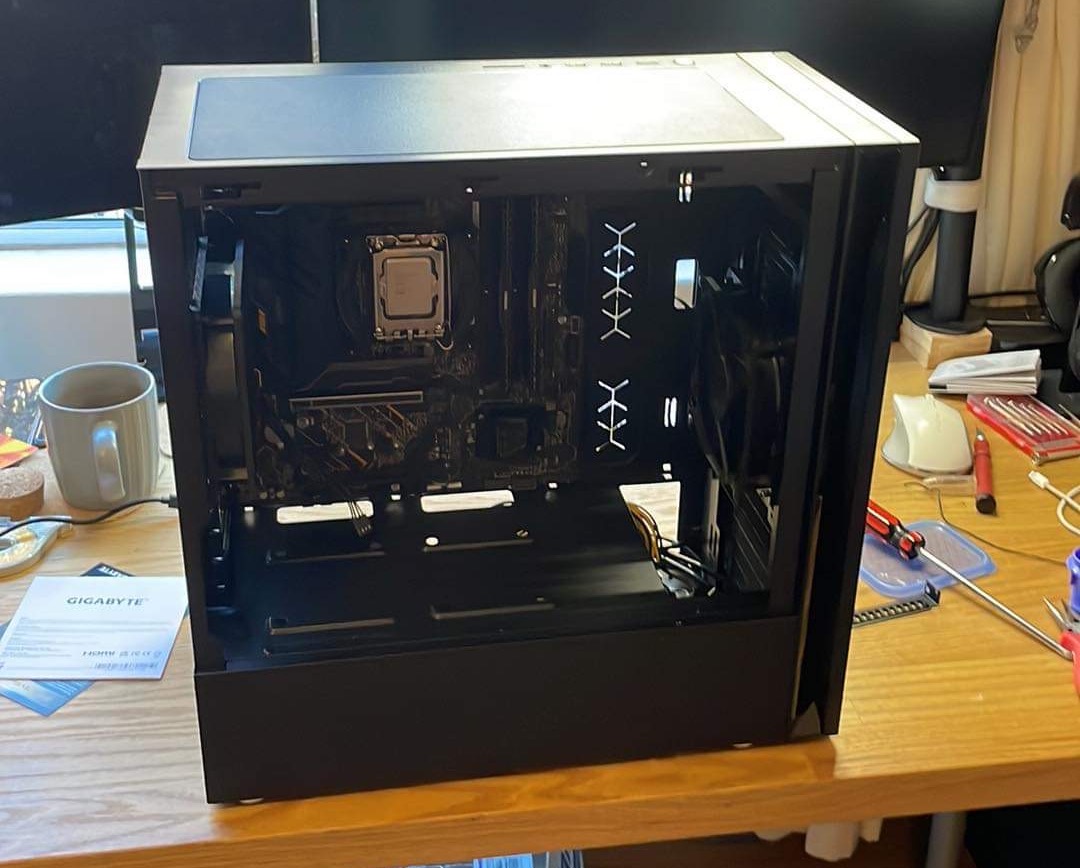
Wednesday I got a little bit of work done but then I got notified that the parts had come in for my new gaming pc, so the rest of that day was spent putting that all together. It aint much, but it's a step up from using Bootcamp and an eGPU on my 16" macbook pro. It even booted first try?
The rest of my time this week was on Charge, in particular, working on the painting system. I needed to work on something simple and fun to get back into a rhythm this week, so it was that. I'd already blocked out what the background scene would look like and I'd done some work on the graphic design, but none of it felt quite right. paint scene initial blockout with INCREDIBLY PLACEHOLDER paint pots
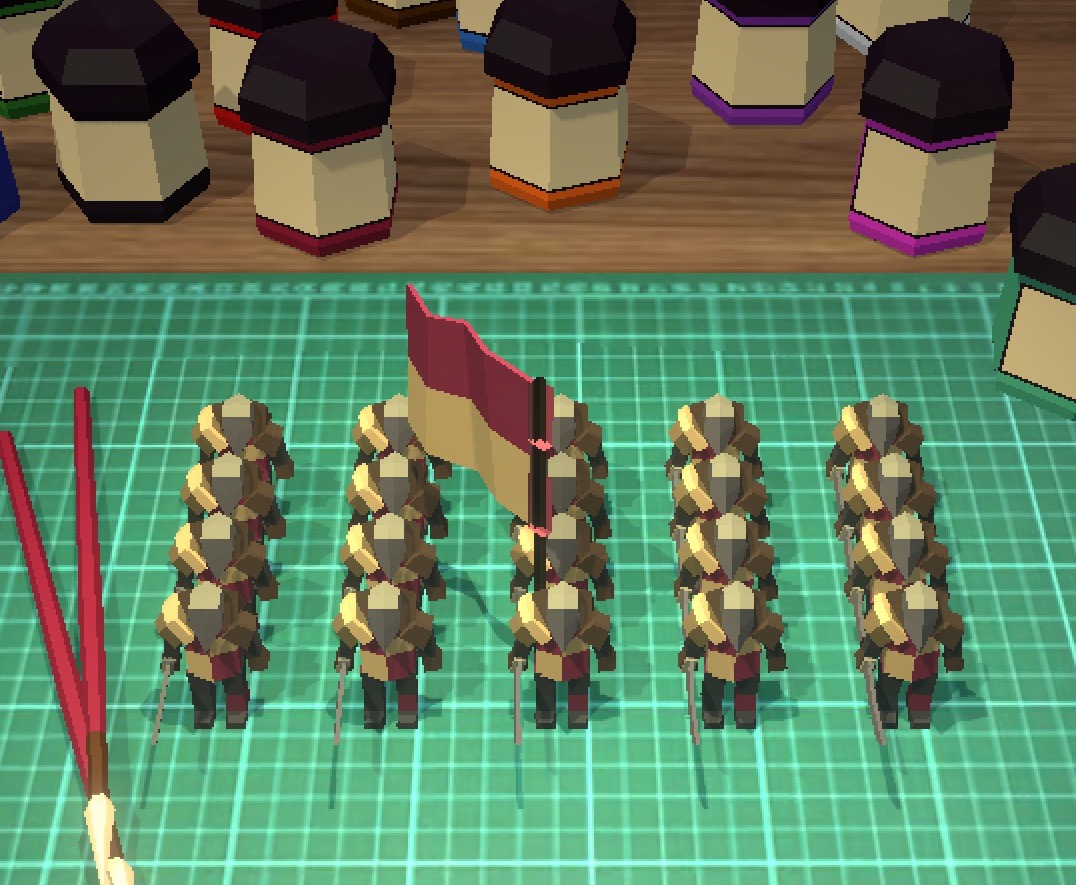
Quick sidebar: In Charge, I specifically want to keep the painting systems quick and simple. I opted to go against the direct painting method because: A) it's a lot of engineering work to get it feeling right. I've built a paint-on-model app before and it wasn't fun. B) Theres strict filesize limits for sending turns via Game Center, and textures are a no-go. (we're talking bytes here) C) I can't easily filter for profanity. Again, nothing is impossible, but if someone wants to draw a penis or something hateful, then there's limited options within my scope to stop them.

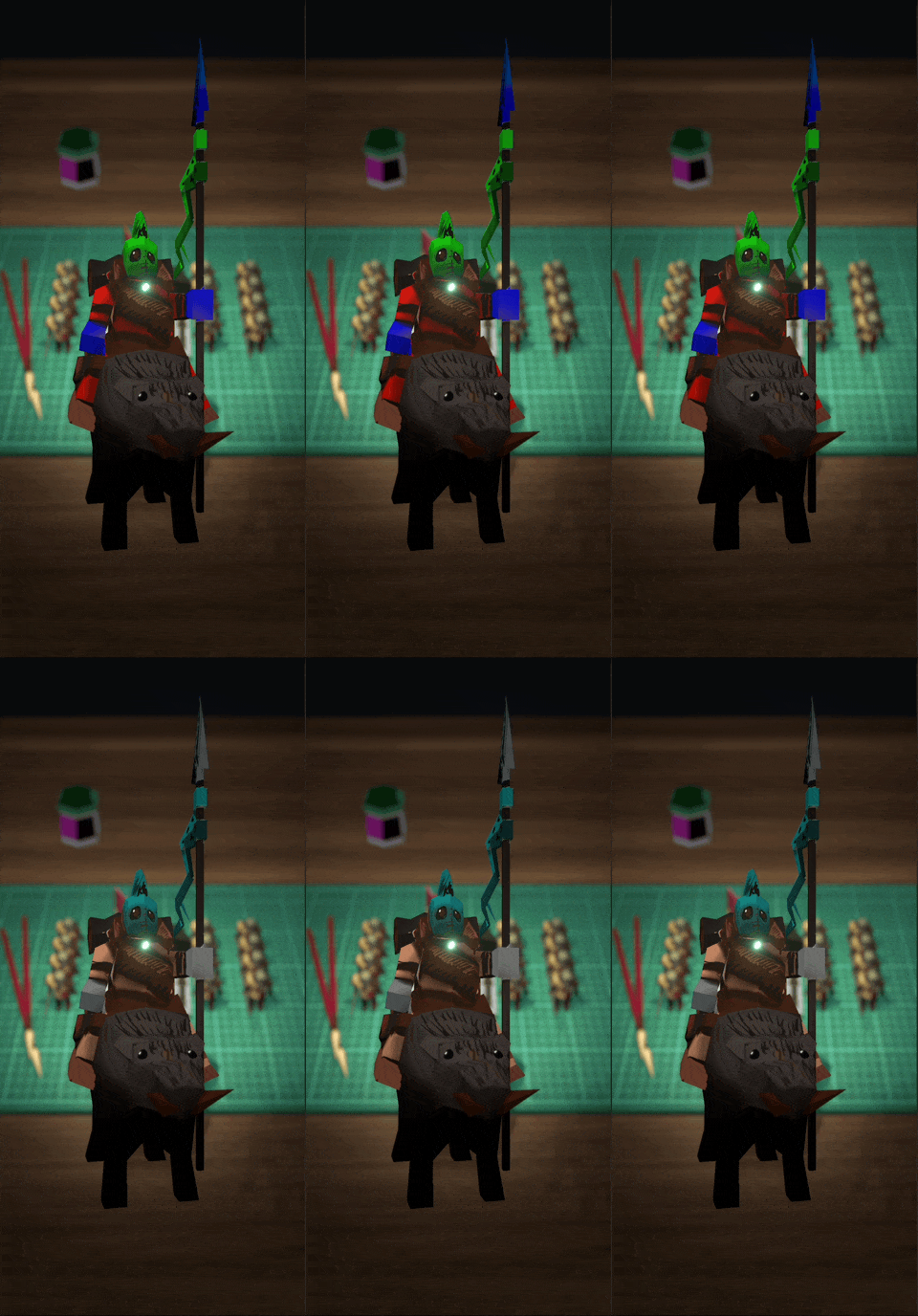
Over the weekend I spent a little time building a quick proof of concept for interpolating colours on a texture, and it seemed to work pretty easily? It's a relatively common system usually used for team-colours in RTS games, but I wanted to extend it a little further. Here you can see it in action. The Red, Green, and Blue sections of the model get swapped out for more appropriate colours. another INCREDIBLY PLACEHOLDER model, showing off the paint system so far
I spent some time prototyping interaction models, starting with directly selecting the parts of the model, but that quickly became a rabbit hole of bad interaction patterns. Where exactly do you press? How can I ensure that the target zones are easy to pick on a small phone? Does this mean I have to create completely custom target zones for each model? How do I highlight those zones easily? etc etc etc. Often in these cases the solution is to do it the simplest way, and that way is buttons! Not terribly exciting, but they do the job, at least for now.
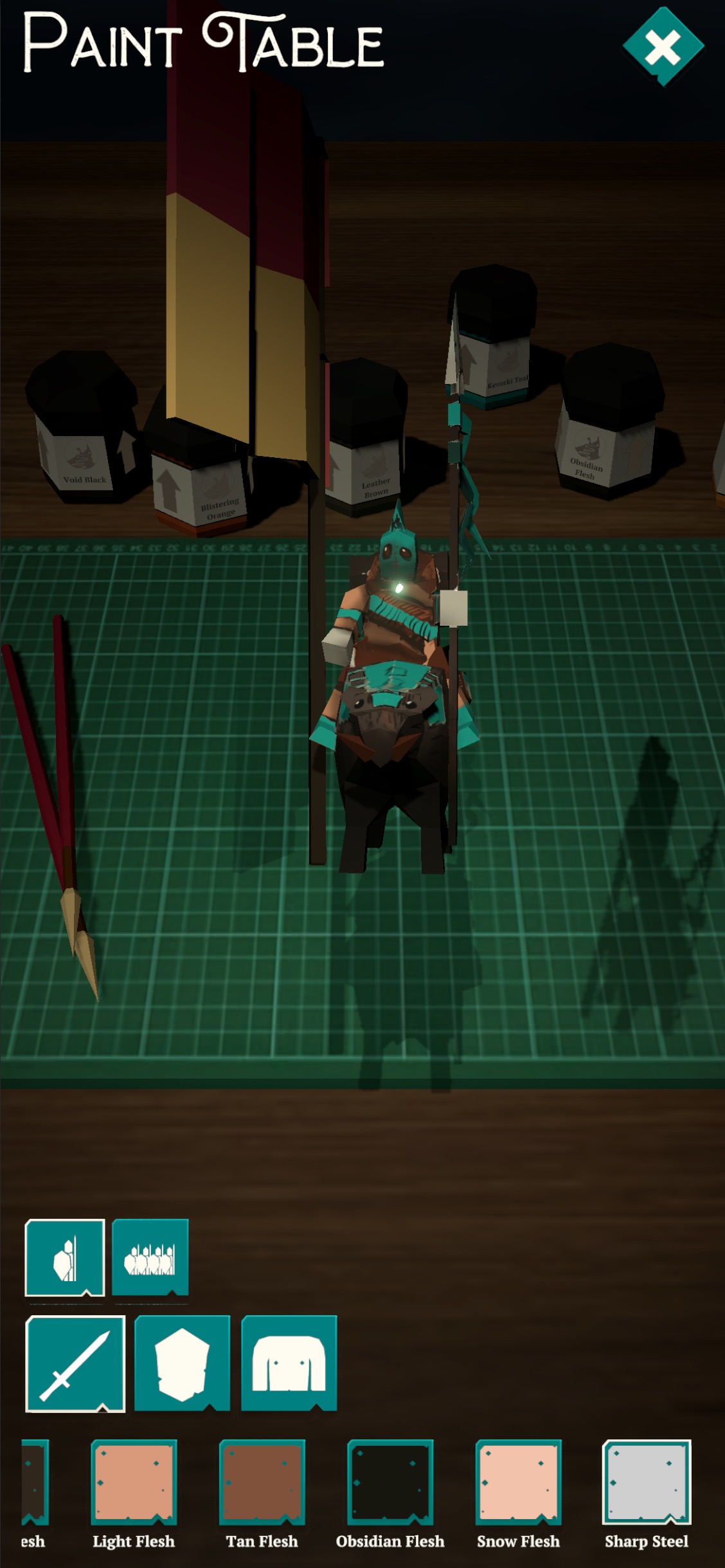
The painting system as it stands today.

This is all still a massive work in progress, nothing is quite finished yet, but it feels as though its on the right track.

I said last week that I'll be working towards an Alpha test build this week, but with all the distractions I didn't feel it was the right thing to do. Fingers crossed that'll be next week.

On that topic I did manage to put in a few things to make the game Alpha Ready™️. I've built out an Alpha feedback form, a bug reporter (including a handy-dandy screenshot system) and a more generic feedback form. I'm hoping to get a lot of feedback throughout the alpha / beta period so, may as well get that stuff started sooner rather than later!

Charge Tasks completed:

  • UI: Alpha Test: Put links to general feedback / alpha feedback / bug reports on main menu
  • Anchorite Bug Reporter for Unity
  • Full Settings Menu
  • Army Builder
  • UI: ArmyPainter

Bugfixin' July

This week was.. tedious. Literally just going through and fixing bugs left right and centre.

What initially looked like it would be an easy week turned into a slog when I realised that the UI flow I'd setup over the past few weeks actually only worked for local pass-and-play games, and not really for online games. Simple stuff to start with like, the deploy screen being active for both players at the same time, and then slowly more complex issues raised their heads.

Issues with synchronisation of data, issues with not quite knowing which game I was joining, having to create specific UI for connecting to games without using Apple's game centre views, etc etc et.

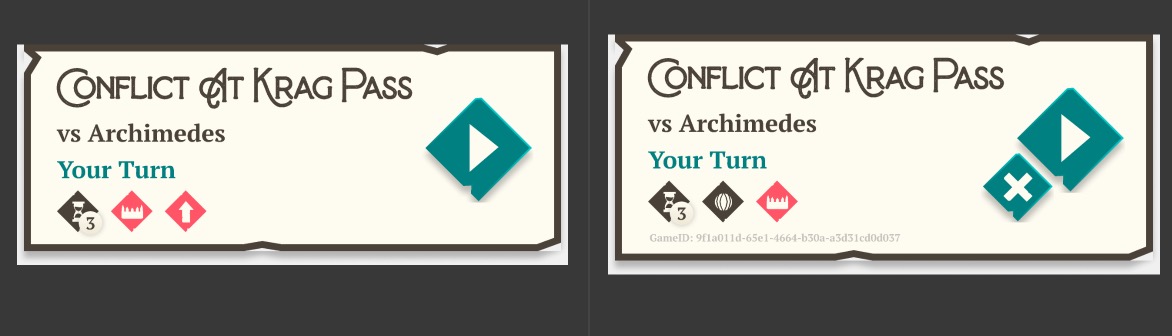
Here's an example of what that looks like in practice: This particular element shows games that you've previously played. First I actually had to make the system that generates a name for the match (whoops, forgot that), then an icon to say whether it's pass and play or online, and a game ID field, and uhh... a delete button. it's subtle, but it's there

Lots of little things like this added up to make an entire week of issues.

Anyway, it all works nicely now. (at least in my limited testing so far)

Which brings me to the next bit. Soon I'll be doing a very limited public alpha of the game. Five to ten people, mostly looking to iron out major issues with the game.

I still need to build a bug reporter that can handle screenshots, and probably do more bugfixing before I get to that, but that's the plan for now.

Charge Tasks completed:

  • UI: Game Center
  • UI: PreDeploy screen needs "other player deploying" text, and a to menu button
  • UI: Deploy screen needs "waiting for other player", and a to menu button
  • Bug: Xcode Project generating without frameworks or capabilities
  • Bug: Units that get exhausted don't un-exhaust on new turns
  • Bug: Game breaks at GameOver
  • Bug: Trying to load a game sometimes breaks.
  • Bug: Loading an existing game breaks UI
  • Bug: continuing past initial deployment doesn't work with gk games
  • Bug: having to press buttons twice?
  • Bug: Replay turn / new Turn screens don't appear on newturn in pass and play
  • Bug: After readying up on p2 device, Game stays in "Waiting to connect" page
  • UI: Rework Existing game cell to properly show whether a game is online, and it's game ID
  • Bug: Unit picker shows regiments in leaders section
  • Gamekit Multiplayer is not working.
  • armies aren't saving on device
  • Run project auditor on current project
  • UI: Armybuilder: Unit Upgrades and Traits.

Fresh Start

This week I worked like a madman on Exoloper. I built out the basics of the games menu UI, ported over systems like save + load, UI frameworks and my general purpose utilities and then got to work tying together the combat, campaign and loadout prototypes to turn them into a fully fledged game.

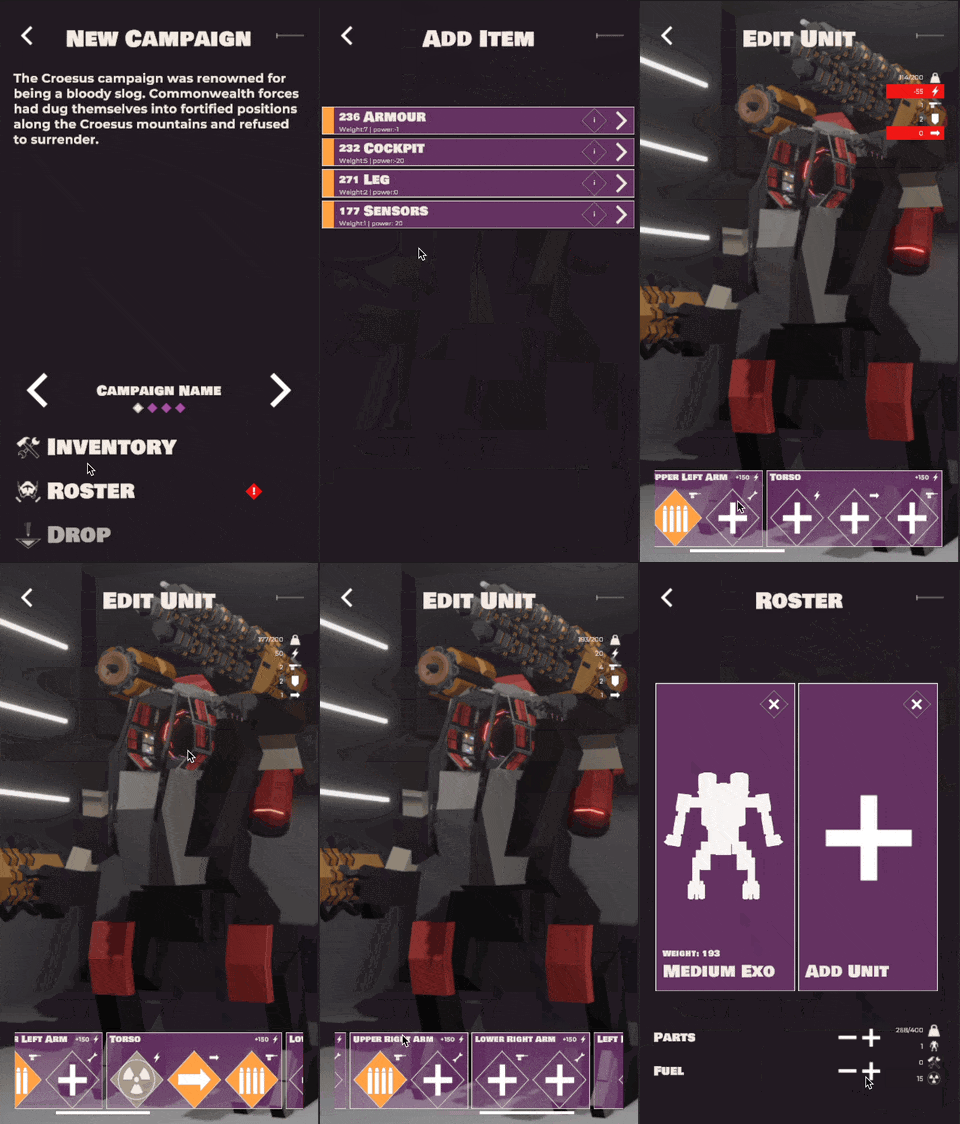
In particular I worked on the exo editing systems. Similar to Interloper's loadout system, but more complex. The idea is that each section of the exo has a series of slots that can take either a Utility, Weapon, Power Source or Locomotion system. This then ties into the campaign system, which then ties into the battle system. It was really something seeing all of that tie together so nicely, but also be decoupled enough that none of them rely on the other to work.

I mentioned this on Mastodon and the Anchorite Discord, but it looks as though I’ll have a playable prototype very soon, possibly next week.

I keep close tabs on my hours for a variety of reasons, but it looks as though I’ll have created the Exoloper first alpha in approximately 40 hrs of work. For those keeping tabs, Charge took nearly 823 hours to fro to the same spot.

I think I’ll go into more detail on this with a separate post later, but suffice to say, it’s a significant difference that I've chalked up to inexperience with multiplayer systems, and doggedly trying to implement Test Driven Development.

As I said before, I'm so damn happy with where Charge ended up, and the general direction its going in. I can't wait to finish it, but.. just not right now.

For now though: as I haven't done this yet, here’s a quick overview of Exoloper (in its current form)


Exoloper begins with you starting a new campaign. There will be multiple campaigns to choose from, set in different locale's and times during the recapturing of Rayleigh Prime. To start a campaign you need to build your sortie. This includes an Exo for yourself, and a series of other units (Exo's, Tanks and infantry squads). Your two constraints are your inventory (thats persistent between campaigns) and the drop weight (the maximum weight allowed for you to start that campaign).

Each unit may also have a series of requirements. An Exo or Vehicle will need at least one locomotion system, one power system and one weapon.
Once all the requirements are met, you'll be allowed to drop to the surface. Once there, you'll have to navigate the world and complete the objectives of the campaign. Along the way you'll come across a variety of spaces to move to, from battles to difficult decisions, resource points and more.
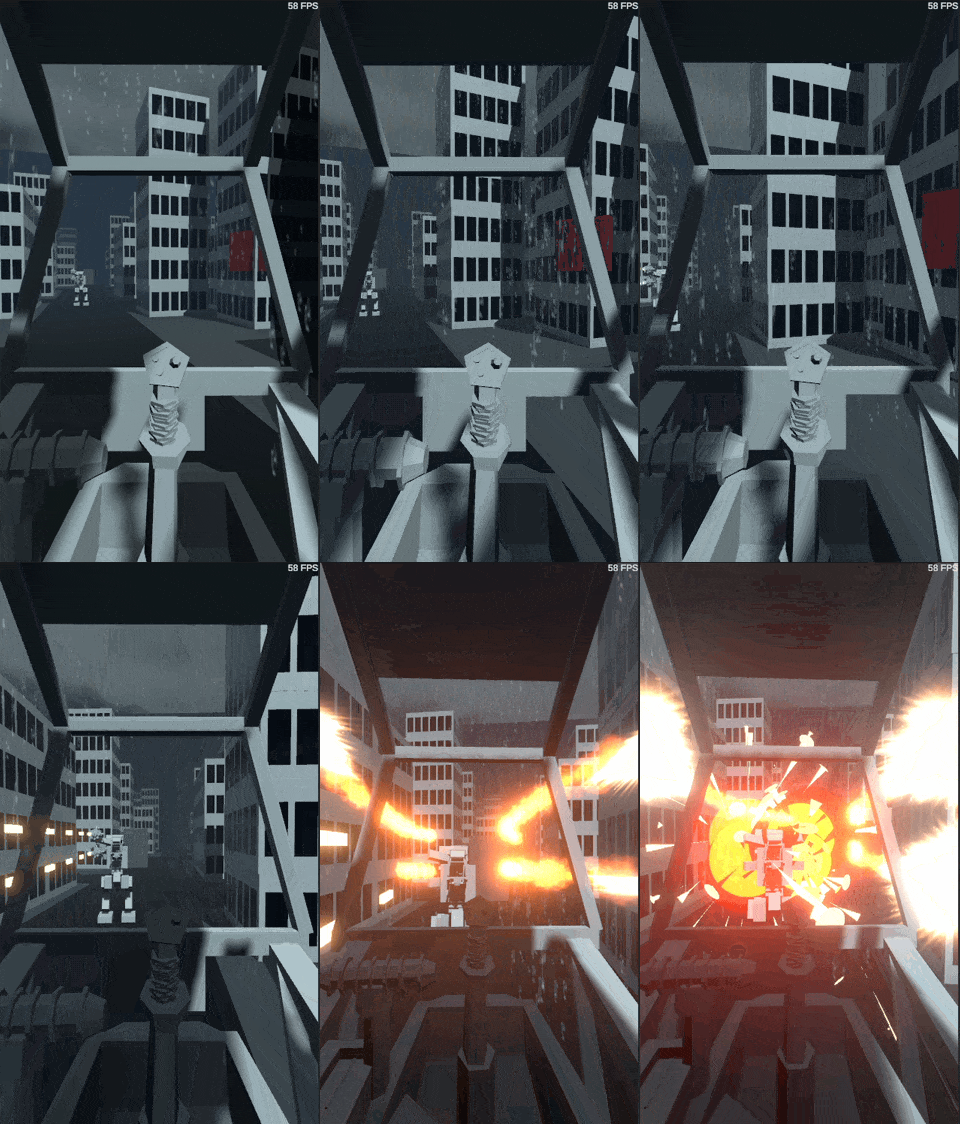
The main event of these spaces is the battle. These can take multiple forms, from ambushes to pitched battles, to rushing to destroy certain objectives. These battles will be slower in pace than the ones found in Interloper, and positioning, flanking, and awareness of both the state of your exo and your allies will be the determining factors of success. Your loadout will determine your play style. Do you hang back with railguns and missile launchers, or get up close and personal with melee weapons and flame-throwers?

The damage you sustain in battles will carry across to all other battles in the campaign, meaning you'll need to find parts to repair your units. You will also need to keep track of your fuel levels, as running out will leave you stranded on the surface. Each space presents an opportunity to collect salvage. This usually comes in either the form of immediate term resources, fuel and parts or in the form of longer term salvage. Savaged items can be extracted at specific spots throughout the campaign, sending them to your inventory for use in future campaigns. These are weapons, Exo's, vehicles, utilities and more. This part should feel familiar to Interloper players.
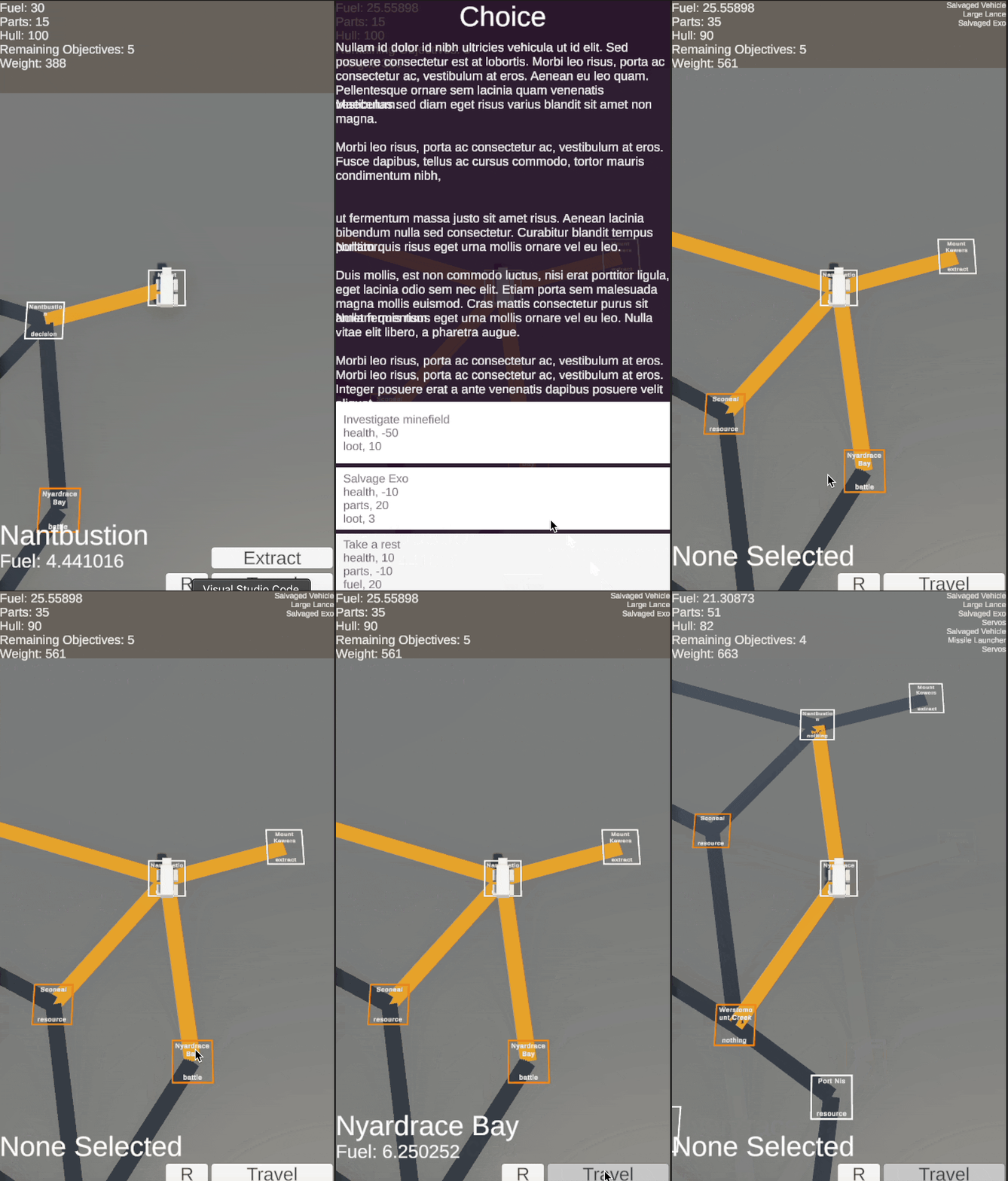
Completing the objectives in a campaign gives the player opportunities to gain the most coveted epic-tier salvage. You don't need to complete all or even any of the objectives to leave a campaign, but leaving early limits your access to higher quality loot.

Exctraction from a campaign has one condition: Weight. Every item you carry contributes to your campaign sortie's weight, and each extract has a maximum weight. You can choose to extract just salvage, exhausting the extraction point, or to dump certain items (including units you brought with you) to meet the weight requirement. Once you've extracted from a campaign, any salvage you extracted with will be added to your inventory, ready for the next campaign drop.

So that's the overall concept. Everything is up for change at this point, but I feel like the game loop is already very compelling. There's a ton of risk + reward in there, and it fills both the power fantasy of piloting a 20 metre tall robot, and the immersion of running a longer term campaign behind enemy lines with little support.

I've purposefully carved out plenty of openings in the games design so far for lore drops, as it was something I got asked about frequently during the development of Interloper, so that should be fun.

Exoloper Tasks completed:

  • Tie Campaign Data to in-Game units
  • New Campaign: Roster validation
  • Loadout: Weight Systems
  • UI: New Campaign: Edit Unit
  • UI: New Campaign: Start page
  • UI: New Campaign: Roster Build
  • UI: New Campaign: Add unit
  • UI: Framework
  • UI: Boot
  • Loadout: Component adding and removing
  • Loadout system prototype
  • Meta-Inventory: Editing
  • Meta-Inventory: Data storage
  • Hook up game logic for returns to campaign / menu.
  • Tie overworld map to battle.
  • Run project auditor on current project
  • create outline for Robbie from Cranbrook for talk
  • Build New Sprint
  • Game Design Document
  • Test in a better terrained world
  • Overworld map

Ui implementation v4finalv6finalfinal

(this also covers last week, as I was too exhausted to post an update last friday)

So it's been a long couple months of doing Charge's UI work. What I've ended up doing is completely rewriting the existing, terrible, UI and replacing it with something much much nicer, and more extensible.

I also spent a fair bit of time decoupling more systems, just making it easier to test / fix / figure out issues in the future.

All in all this patch of work has been an absolute slog. From the hyper enthusiasm of the graphic design through to the minute to minute issues of implementing it. I'm glad it's done, and I'm proud as punch of it all.

There's finally a couple bugs that still need sorting out, so I'll work on those next week, then if all looks good, I'll put together a proper armylist... and start actually testing the game? 👀

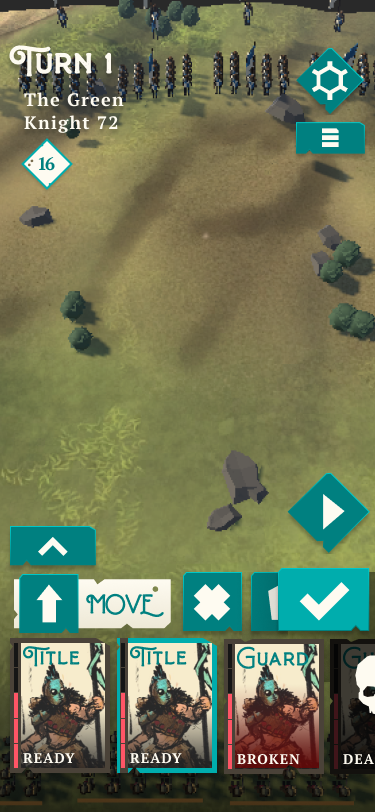
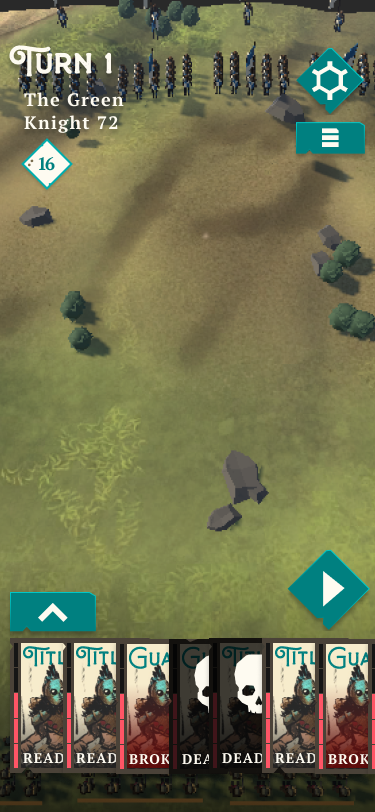
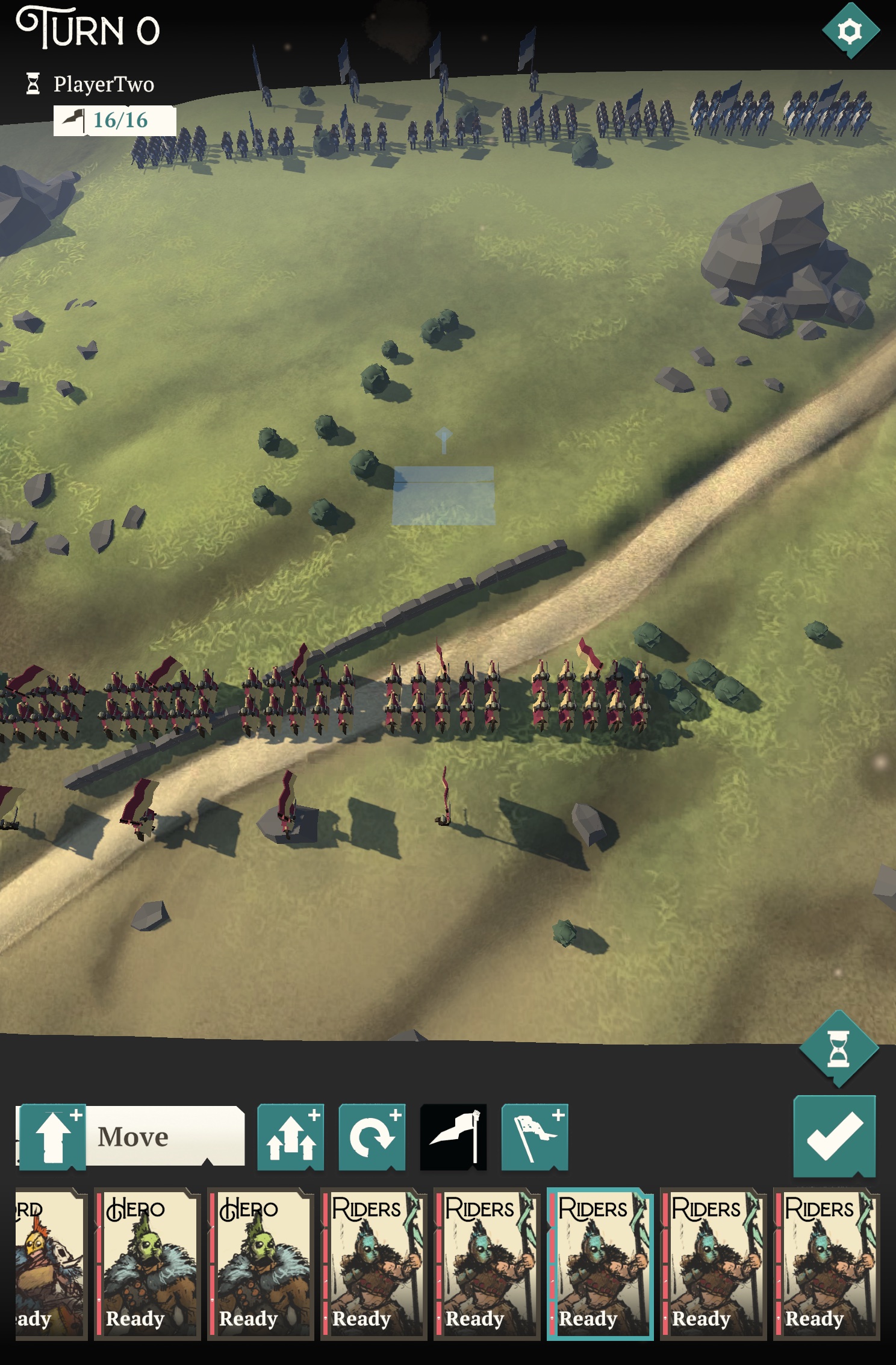
An in game screenshot with the new UI. Starting to look like a real game now!
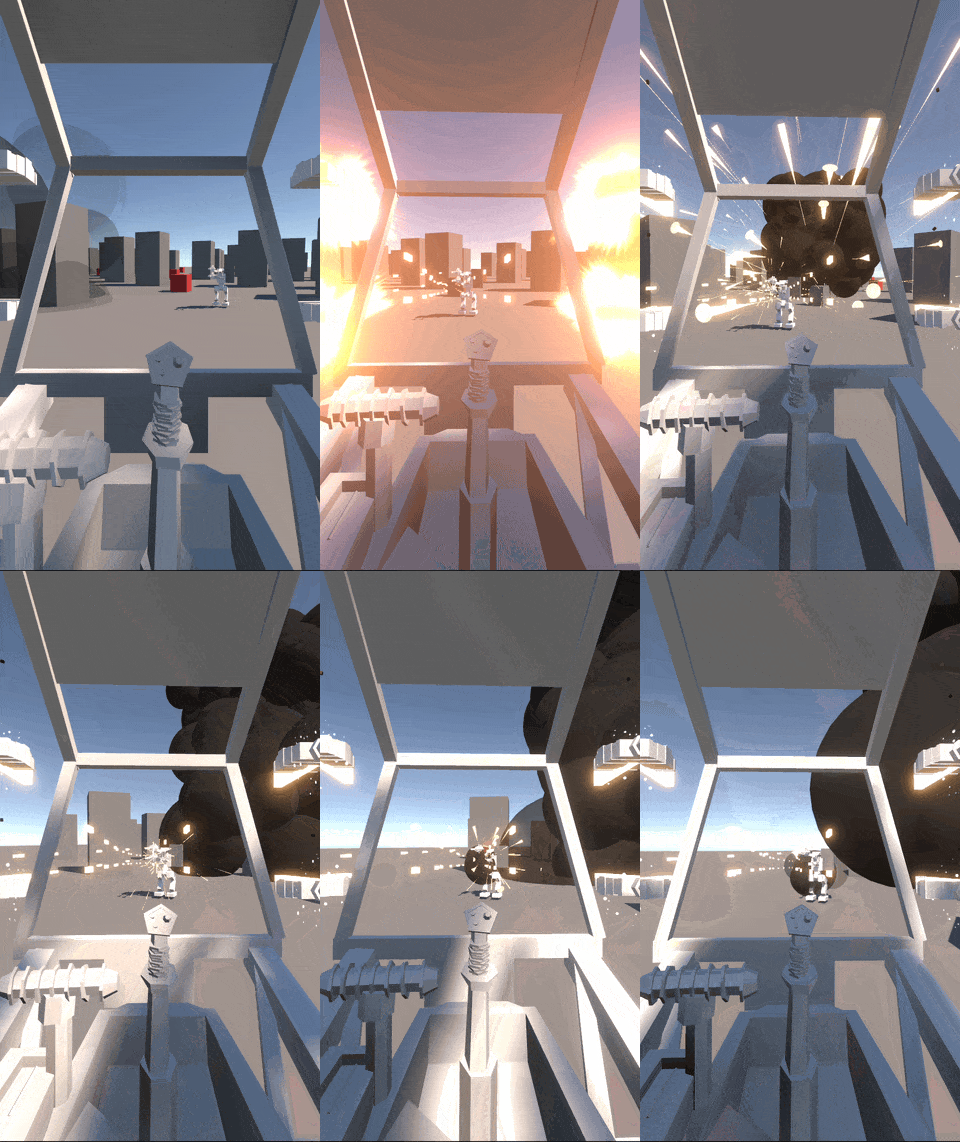
Also as a little tease. I've been working away at the 'mech game Exoloper too. I haven't formalised the tasks for that just yet, but the things I got working this week include: * basic AI * Destructible subcomponents on the robots * explosive forces and damage * armour components * better camerashake * sub-component-building-destruction * physics systems for destructible terrain

Charge Tasks completed:

  • UI: Menu: Armylists, Delete Armylist button
  • UI: In Game: Roster View
  • UI: Pass and Play
  • Bug: Armybuilder can’t load army
  • Look for replacement for iCloudKit
  • UI: In Game: Replay view
  • UI: In Game: Settings View
  • UI: In Game: Post game
  • UI: In Game: New Turn view
  • UI: In Game: Waiting for turn view
  • UI: In Game: Deployment
  • UI: In Game: Main gameplay view
  • UI: In Game: Deploy: Game Intro
  • UI: In Game: Last Order result info
  • Ui: In Game: target mode view
  • Seperate out existing Utils Tweens into component based tweens
  • Ui: In Game: Unit Orders panel
  • Ui: In Game: Roster Unit Cards
  • Ui: In Game: End turn button
  • Ui: In Game: Turn and order Info
  • UI: In Game: Waiting for players to connect
  • UI: Armies Page
  • UI: ArmyBuilder
  • UI: New Roster - Pick Armylist
  • UI: Armybuilder - Add Unit
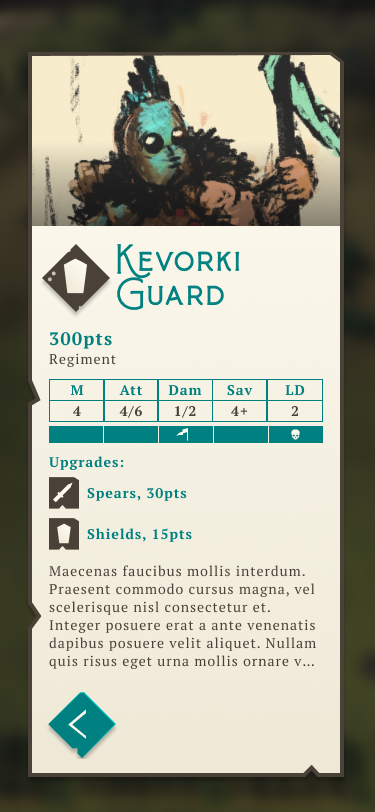
  • UI: Army Builder: Army Details page
  • UI: Armybuilder: Set Roster Details
  • UX: controller pass
  • UI: FIll out details for each UI Pageview
  • Project Management: Redo UI tasks, figure out where you're actually up to.
  • UI: Design system
  • UI-Background handler

Implementation

More chaos this week, but still got some stuff done.

Managed to get most of the core UI and the game UI up and running. Everything is broken and barely playable, but it's quickly coming back together nicely. It's nice to be actually able to play the game again for the first time in what feels like over a month.

Charge Tasks completed:

  • UI: In Game: Stubbed out all base UI.
  • Ui: In Game: End turn button
  • Ui: In Game: Turn and order Info
  • UI: In Game: Waiting for players to connect
  • UI: Armies Page
  • UI: ArmyBuilder
  • UI: New Roster - Pick Armylist
  • UI: Armybuilder - Add Unit
  • UI: Army Builder: Army Details page
  • UI: Armybuilder: Set Roster Details
  • UX: controller pass
  • UI: FIll out details for each UI Pageview
  • UI: Design system
  • UI-Background handler

Graphic Design Part Two

This week saw more graphic design work, particularly focusing on implementation. One of the things I find most people get surprised with when it comes to game development is just how much you have to write from scratch. In this case, it's responsive design.

So typically when I've created graphic designs in the past for UI's, I can usually rely on the existence of responsive design tools. These tools allow a design to shrink or grow from as small as a phone screen all the way up to a TV scale experience, usually without much futzing about. The most widely used tools are HTML and CSS, but you find the same concepts in iOS layout tools, Android, and pretty much any OS level UI framework.

Another concept that’s generally agreed upon in UI frameworks is a concept of a style sheet, how each component should look (as opposed to how it should function) this sheet is designed to be reusable, in Web it can be applied to a whole website, or as specific as a single button.

Unity, the engine I've been using for god knows how long, does, on a surface level provide tools like this, but they're rudimentary and at best and don't allow basic stuff like having independent sizes for text or content based on the size of the screen, at best it can linearly scale the text up and down, which.. doesn't really fit the bill. Unity also has no sense of global styling, favouring a per-component or prefab system instead.

So I've spent the past week investigating a better way to do achieve this than how I did it for Interloper.

There's 3 main "screens" I need to design for when it comes to the platforms I choose to support (Apple's platforms: iOS, iPadOS, tvOS, macOS) and thats Phone-Portrait, Phone-Landscape, and then everything else (more or less, landscape-large-screen) While some people will use the iPad in portrait (myself included) the landscape-large-screen format generally works well for that, and where it doesn’t I can introduce specific exceptions.

In Interloper, each screen has a “portrait” and a “landscape” layout, and these then have further modifiers based on the screen size. These modifiers were controlled by each screens view-controller, meaning that if I wanted to make a global change to the way the UI looked, I had to do it manually, screen by screen. As for styling, in Interloper, that's almost entirely done on a screen by screen basis, again, lots of manual work. I had some reusable components, like buttons and some labels, but it was a bit of a mess.

So for Charge, my goal is to have a global set of styles and a universal responsive layout that I can tweak from one spot and have it update universally.

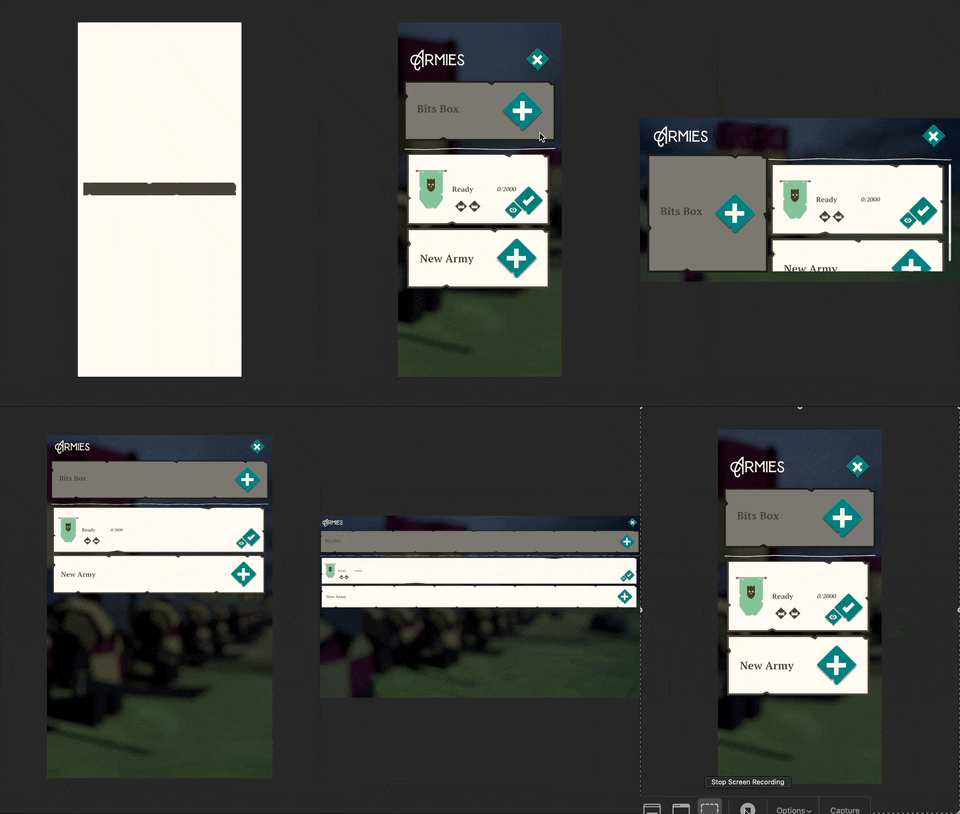
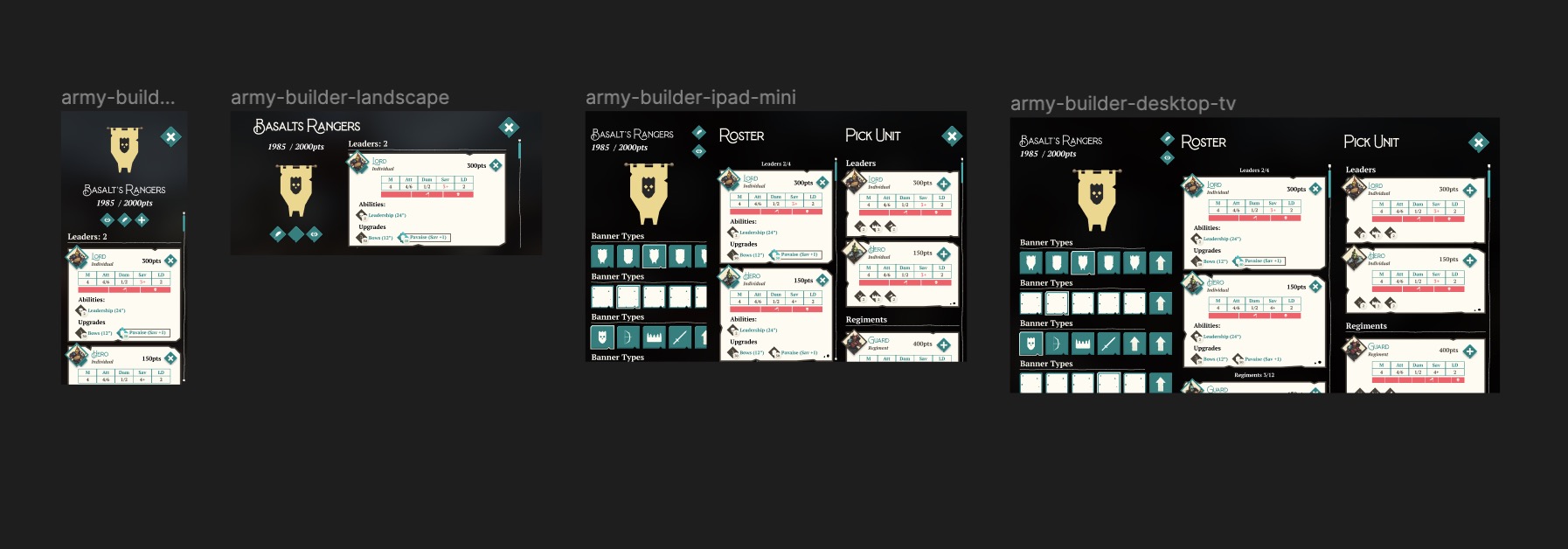
Charge's UI responding to various screen sizes and orientations
For this all to work I needed a system for using Unity's newer prefab systems, nested prefabs and prefab variants.

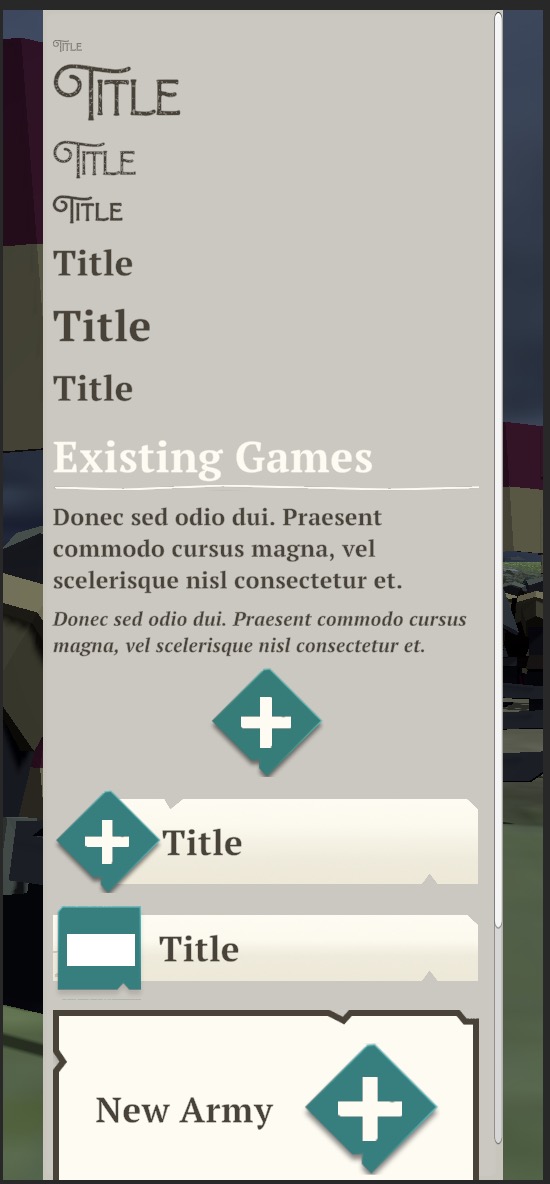
First I laid out all the basic components I figured I'd need, text and buttons. From headers, to subscript, banner buttons to icon buttons and placed them all in the one scene. Each component is a variant of a base component, meaning changes flow down the line.

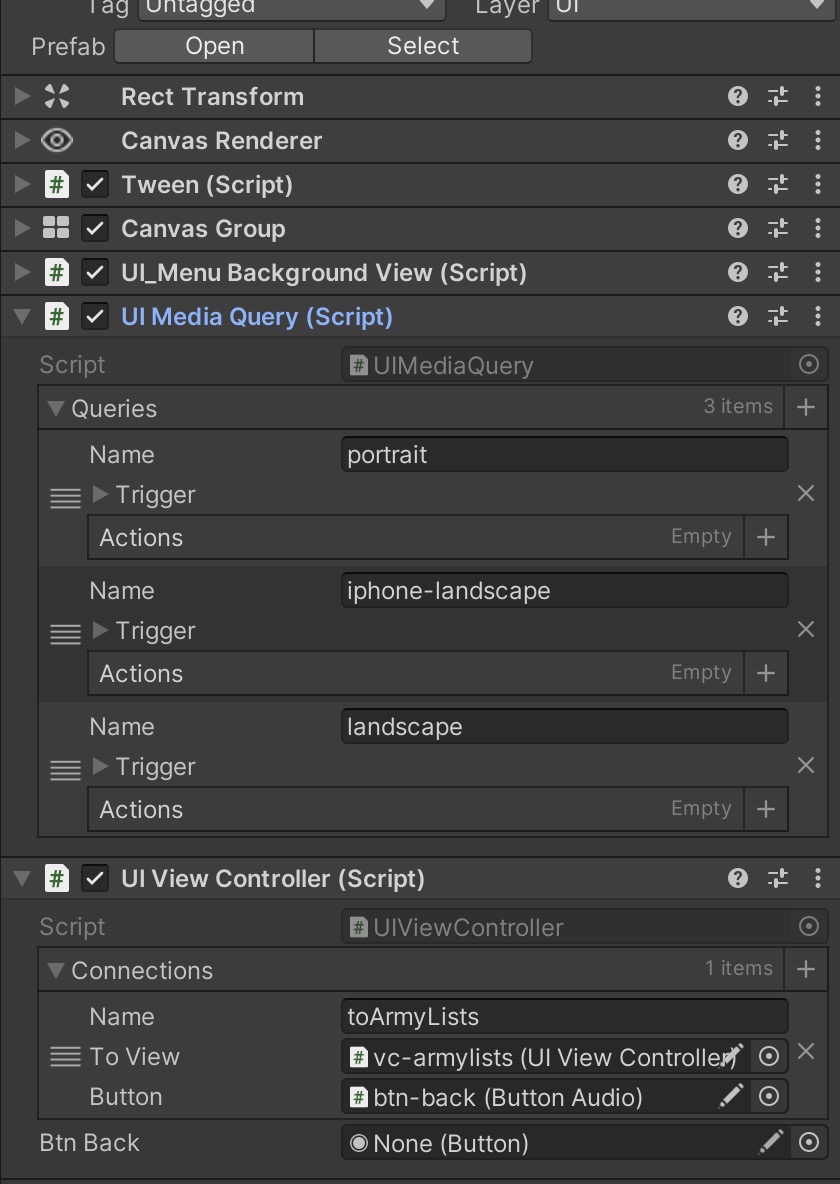
Then I built a base view-controller-prefab (think of this as the root for each page.) with all the required controls pre-set onto it, and inside that I setup my responsive layouts; one for "portrait", one for "iphone-landscape" and one for "landscape". These media-query-triggers are baked into the prefab, so any time I make a new screen, I simply have to inherit this prefab as it's base and I've already got my ducks lined up.

From there it's as simple as defining what content of the UI goes where under each of the scenarios, along with the regular custom code that each screen may or may not need.

All of that work, to achieve this:

It doesn't look like a lot right now, and the larger screen sizes haven't seen any specific work go into them just yet, but the systems are there to allow me to be as fine grained or as lazy as I want with the UI.

Charge Tasks completed:

I'm still recovering from the past few months of chaos... and I haven't been updating my todo lists properly. Will get this back on track for next week

  • UI stuff.
  • Built responsive design systems
  • built UI prototypes

Graphic Design

This weeks wrap up is more of a combination of the past few weeks worth of work. Between Covid, working on Interloper and my kid staying home from daycare with yet another minor illness, I haven't had as much time as I'd like to work on Charge.

That said, I've made some strides with the games UI and the broader graphic design of the IP (yes, IP).

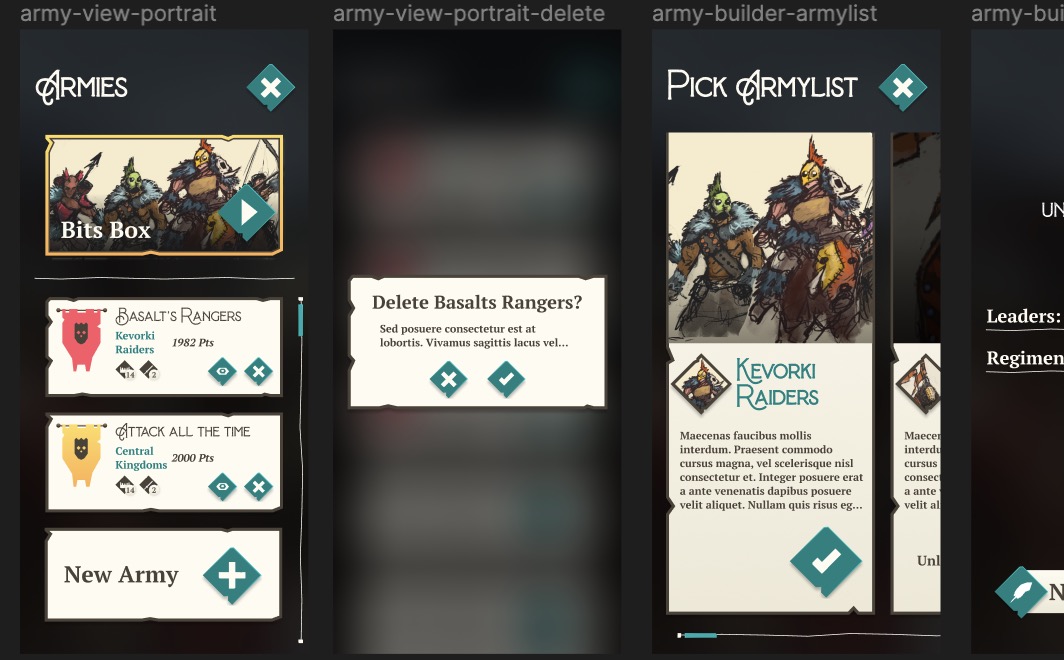
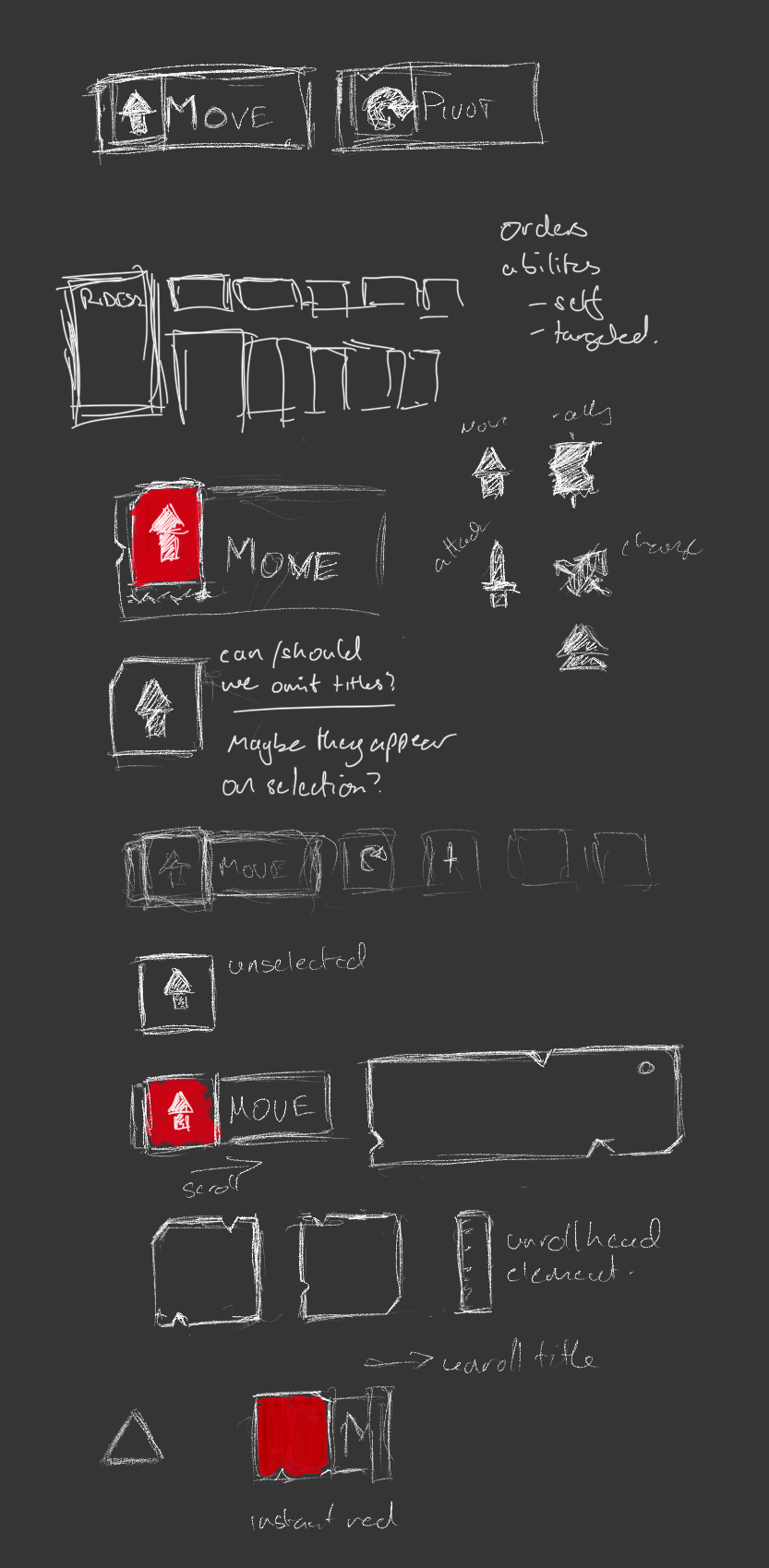
Armylists are at the core of your expressions for the game, so it makes sense to pay special attention to them
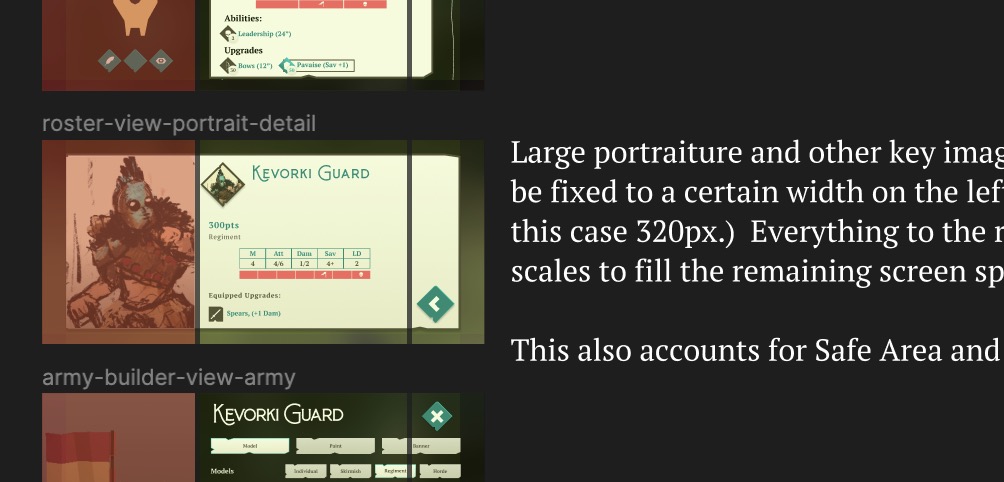
What started off as a font choice and a fixation on the colour teal ended up in the... graphic design for the whole game. Unlike Interloper or Unstoppable before it, Charge is a very UI heavy game, in particular the time you spend on creating and personalising your forces requires some serious UI considerations. On top of that, much the same as Interloper, I plan to launch Charge with support for screens as small as the iPhone Mini through to desktop and TV screens, this all requires thoughtful consideration for each UI element and how they respond to differing screen sizes.

Sometimes design is just smacking shapes down, others it's carefully planning elements.
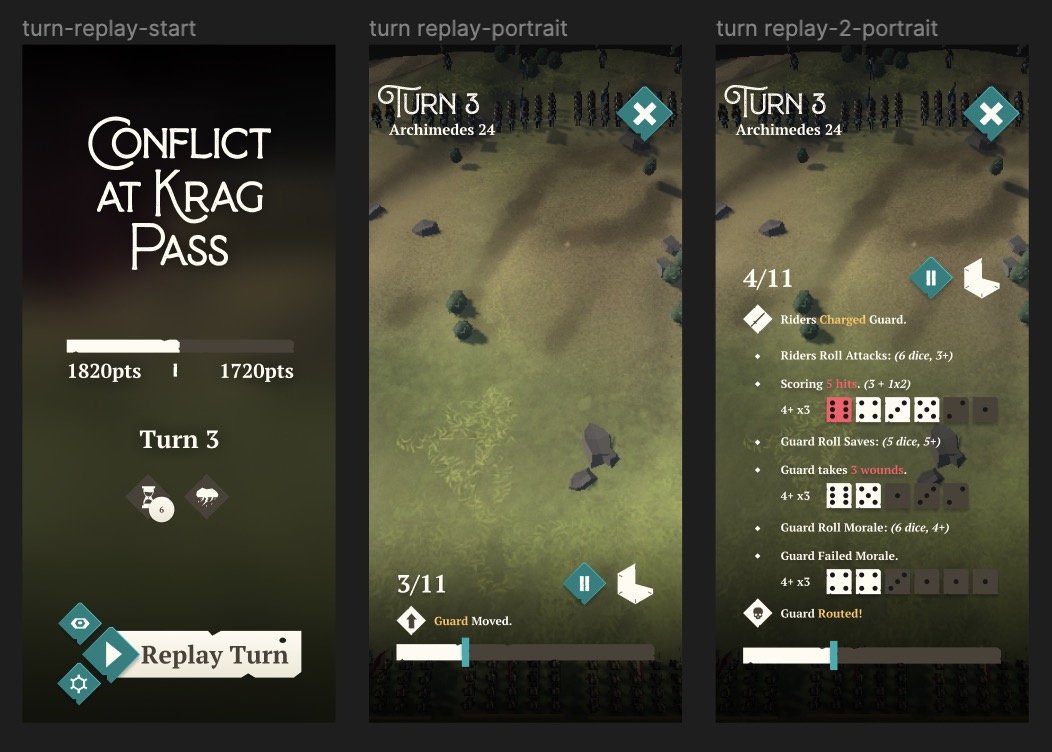
There's so much more to do with the graphic design, but as a first pass I'm damn happy with it. I've also spent some time this week working on UI systems, taking a look at what worked in Interloper, what didn't and formulating plans for how to make it all better for the next run. I wanted to show this one off because it's just sexy. Who said Dice Rolls can't be sexy?

I'm super happy with the way it's all coming together so far. But going through this pass has crystallised just how huge Charge is. It's a game I will release, I'm just not sure that it should be my next game.

Charge Tasks completed:

  • Graphic Design: Build iPad variants
  • Graphic Design: build desktop / tv variants
  • Graphic Design: mobile-landscape variants
  • UI: Figure out how to deal with responsive design

Interloper Tasks completed:

  • Fixed: Controller: Post Game manifest screen managed to get stuck in a weird spot where I couldn’t navigate.
  • Fixed: Can’t change Render scale with controller
  • Fixed: Using controller on tvOS, cannot select render scale in options
  • Fixed: Issues with large loot quantity on reward screen
  • Fixed: Manage Items view performance sucks with lots of items (needs a proper scroll recycler view)
  • Fixed: AI Flak is ineffective / useless
  • Fixed: Ship unlock text is still in the tutorial for Ship Selection view.
  • Fixed: Raid success screen bugs out when you’ve got all the perks.
  • Fixed: Using PS4 Controller, horizontal axis refuses to work.
  • Fixed: Scrolling in lists with controller means sometimes cells animate to focused... even when not?
  • Fixed: Cursor not appearing for controller on appletv

Interloper Postmortem

So 1.700 recently launched. I added some fun unlockable content and fixed a majority of the issues with controller navigation in the game. Pretty happy with that.

Next month marks the three year anniversary for Interloper which is huge. I've never worked on a title post-launch for that long before. I've learned a ton doing this, and honestly I'm surprised it went as well as it did. Interloper's sales have supported me through both the pandemic and becoming a father, no small feat.

Which brings me to the hard part. I'm no longer going to make any new features for Interloper. This is for two reasons:

a) Sales have been steadily declining for over half a year now b) The game's codebase was architected back in 2017 and choices I made as a less experienced developer are limiting what I can do going forward.

fig a: my attempt to describe the above. also my handwriting. (sorry)
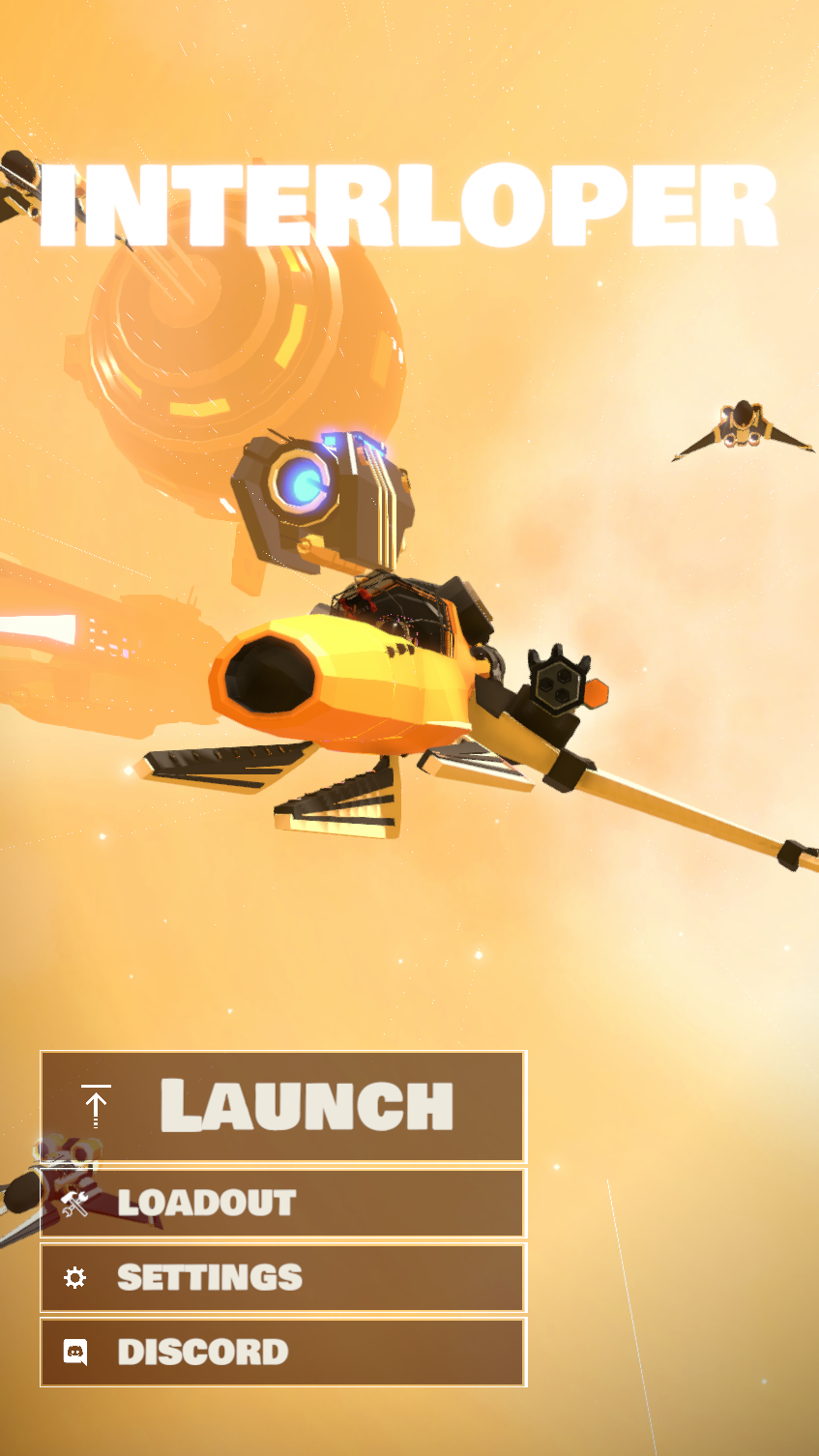
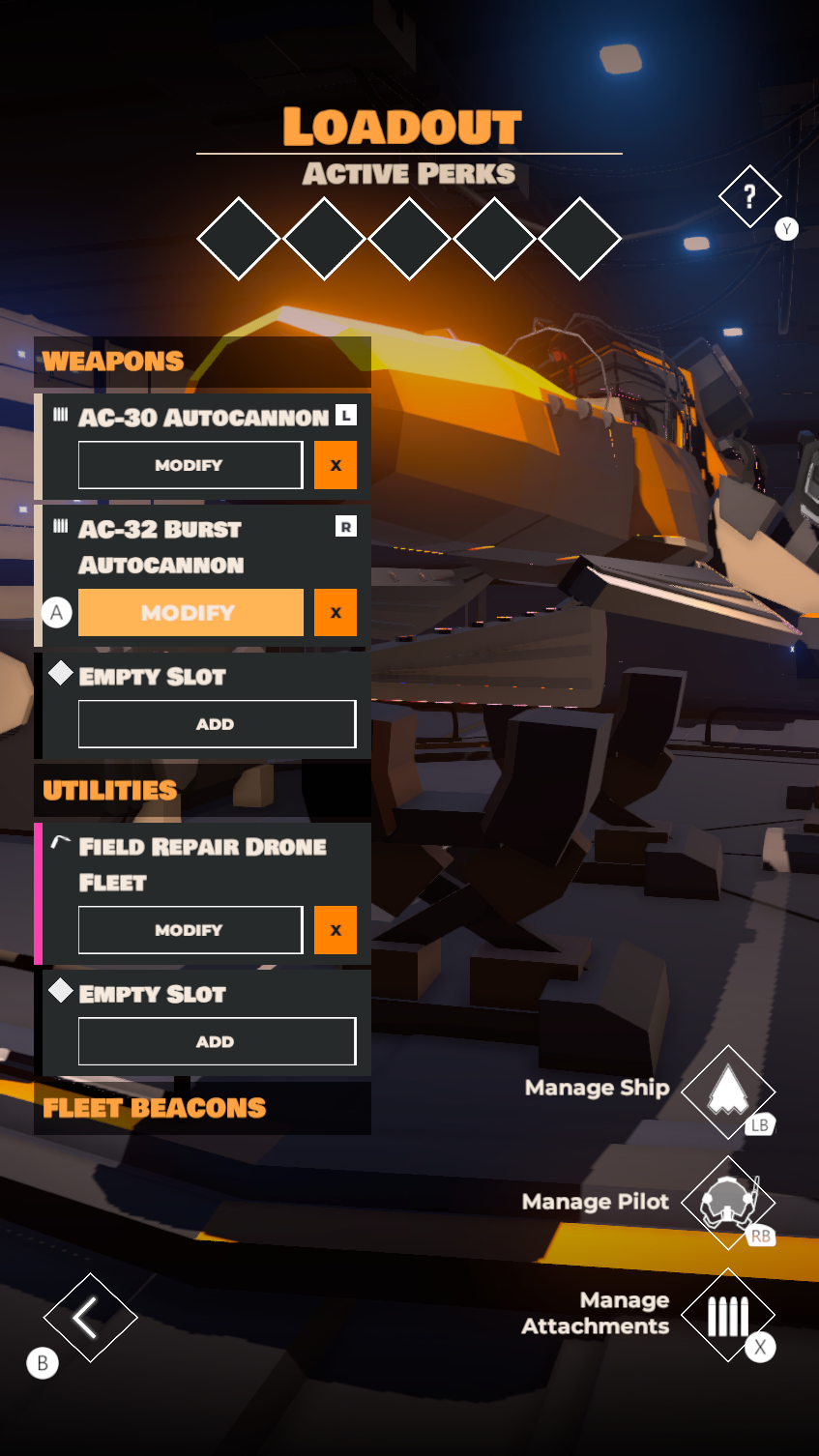
There's a ton of stuff I would love to do with the game, but just can't with the way it's architected right now without sinking a ton of time for not a lot of gain. Things like a campaign, multiplayer, more cosmetics etc. I might end up making these things into a sequel of sorts for the game, but only time will tell there.

One thing to point out, one critical thing: I will still do patches to update the game with bugfixes. I'll also try to keep ontop of OS level updates as they come (thinking new screen sizes and whatnot)

One last note: Thank you. Thank you to everyone who played the game, to everyone who submitted a bug report, left a review (positive or negative) on the App Store. For just interacting with this little passion project I made. You're all great.

Controllers and Cosmetics

After the past few weeks of rubbish this week was finally productive (read, actually good). At long last I finally got around to working on Interloper again.

Here's the thing. As a creative of any kind you're always chasing the high of the next big thing. The next thing you do is always more interesting and better put together, easier to work with. So coming back to the codebase and art for Interloper is always a little hard. Some of the stuff I made here is nearly seven years old (inherited from previous projects) and so its um.. how do I say... a bit crap. Poorly written code (I thought it was smart at the time), inefficient art assets, poor design decisions etc etc, they keep coming up every time I touch the project. It's not the worst thing in the world, just makes coming back to it a bit slow.

So Monday was a slog. By the time I got to lunch time I was seriously considering just switching back to Charge, but you don't get to make games without some discipline. I pushed on, and by the end of the day I actually found I was back to enjoying working on the game.

A couple design refreshes, fixes to ancient issues, and mostly improvements to the controller experience, the rest of the week went by far too quickly. It's always great to get really stuck into some work. The best part was taking the time to go through every menu, cleaning up any issues that cropped up when changing UI scales, and across various aspect ratios.

Anyway so this update is close to being done. I've got some bugs to figure out with the build procedure for macOS and tvOS, and once they're sorted it's off to the races. Fortunately there's no issues with the iOS build at all, I'm sure, definitely. I'll be testing it out thoroughly over the next week to be sure.

Tasks completed:

  • Weapon count is doubled in cosmetic unlocks
  • Control tooltips for pitch,yaw,throttle,roll need to be hidden during Tutorial
  • Fix headphones logo being crunched
  • New screenshots for tutorial pages
  • Icons for Cosmetics + Ship Details
  • Can equip multiple weapons of a given type when only one exists
  • Dying only deletes the first in the array of items equipped
  • Tutorial needs to be updated to match new control layout
  • “Back” from in game settings should resume game?
  • new Pilot screen, controller back doesn't work
  • UI Fix overlaps in ship select screen
  • Game Gets stuck in Post-Run state when all perks are unlocked
  • Change descriptions to be a scrollview.
  • Menu tutorial screen fixes
  • Loot Manifest Screen Fixes
  • Group weapons in loadout
  • Take screenshots of all screens + states for interloper
  • In game settings menu doesn't use RB / LB navigation.
  • Do a complete navigation pass for controller buttons in the main menu.
  • Left Dodge doesnt work?
  • Controller remapping doesn’t work?
  • back button isn’t universally working with controller
  • Mission select doesn’t auto pick selectable
  • If the UI is scaled far enough in, you can’t reach other buttons in loadout when using controller.
  • Ship VC layout is a little busted on lower UI scales
  • For some reason player data is null?
  • Add labels to photomode and ship-skins buttons.
  • Update game's home screen to be more.. interesting
  • Add SFX to skin select buttons
  • Upload new screenshots

COVID

After last weeks shenanigans I thought this week would be good.

No.

My partner got Covid so we all locked down for the week. My kid and I somehow managed to not get it, but it meant that I had to take care of everyone for most of the week. I managed to squeeze in some time to do some graphic design work and thats about it. 

A friend recommended this great website that got me thinking about using a colour pallet that's less aggro with Charge. From there I did some basic sketches on how I wanted the overall forms to feel and then whipped these up.

None of this is even close to final, there's issues left right and centre with the design, but I'm pretty happy with how it's shaping up.

Tasks completed:

  • Some graphic design